You can buy X followers with your public profile link, choose standard or real-user options, and manage delivery from your Fansgurus account. We help you compare the account characteristics, language options and refill terms so your purchase fits the profile you are preparing to promote.
A company preparing a launch or a creator introducing a new channel may want a larger visible follower base alongside the content already on the profile. A follower order gives that purchase a defined scope. You can choose the quantity and follow its delivery while continuing the announcements, conversations and outreach that make the account useful.
When is a follower order useful for your X profile?
Consider the moment when someone moves from a post, an email or an event invitation to your profile. They see your introduction, recent posts and follower count together. If you have already built the profile and want to add followers before a campaign, you have a concrete reason to compare plans rather than simply chase the biggest package.
For example, a company announcing a new service can prepare a pinned explanation of who it serves, how it works and how to get in touch. It can then allocate part of its launch budget to additional followers. The purchase concerns the profile’s follower base; the announcement gives visitors the information they came for.
Decide how much you want to spend on the first order while leaving room for the campaign itself. A smaller initial purchase is useful for learning the ordering process and inspecting the delivered accounts before committing to a larger quantity.
For a company page, have one person confirm the profile and another approve the purchase quantity before submission. That is a simple way to keep a campaign order attached to the right account when several projects use the same customer login.
How to choose standard or real-user followers
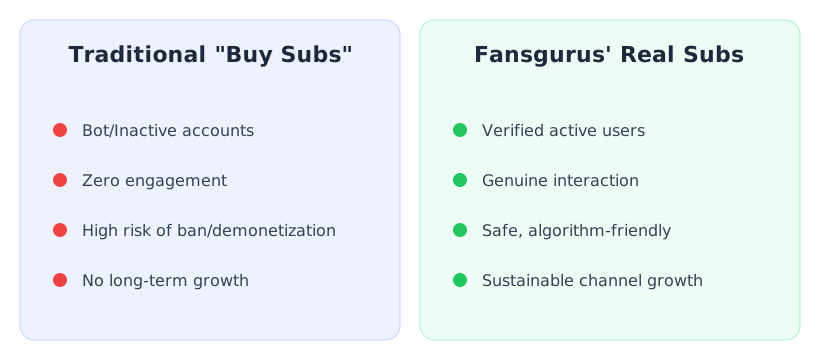
If you want additional followers within a set budget, start with our standard options. If the profiles and usage history of the following accounts matter to you, explore our real-user plans. We use a task-reward system: participating users complete a follow task for a reward. This gives you a specific participation method to consider alongside the account descriptions, quantity and aftercare.
We offer language-specific real-user follower options, including English, French, Portuguese and Spanish. For a multilingual brand, choose the account language relevant to your profile and read the plan description. You can then compare options with the same language requirement instead of paying for features you do not need.
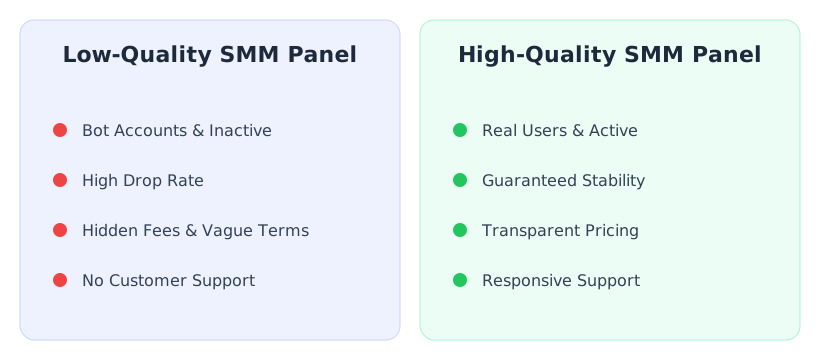
Compare quantity, account characteristics, delivery arrangement and refill coverage together. A low price with no refill and a real-user option with specified aftercare are different purchases. The best fit is the one whose stated features match the requirement you wrote down.

Explore Fansgurus Twitter/X plans
Plan your quantity and order cost
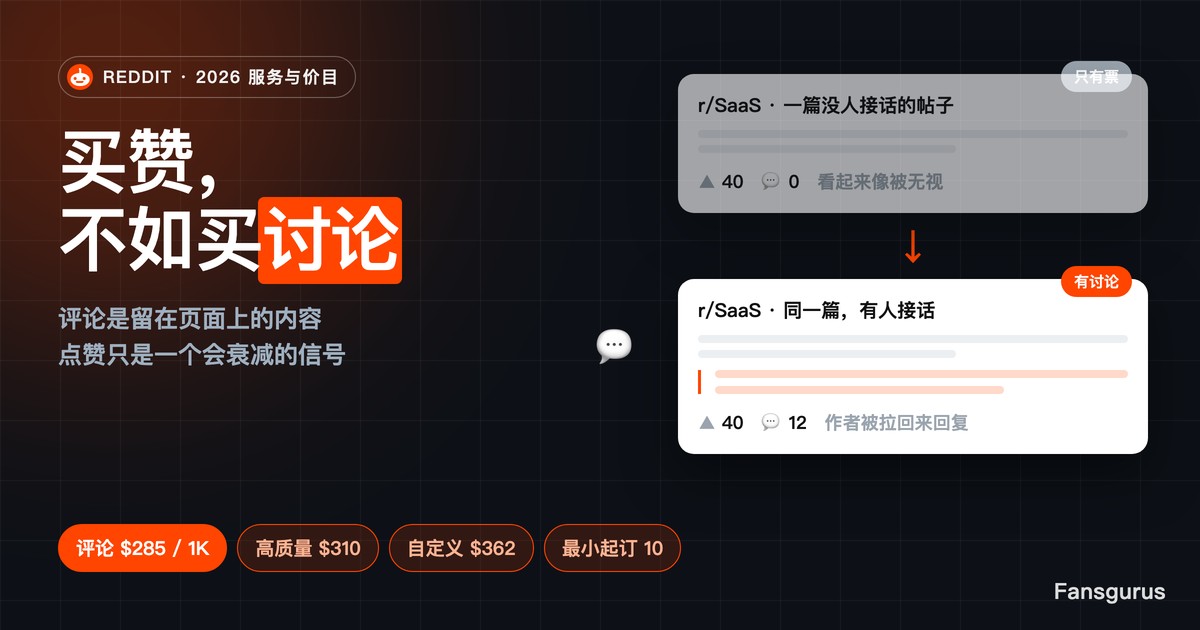
Read the unit before comparing prices. Fansgurus service listings commonly quote a price per 1,000; the order form calculates the amount for the quantity you enter. Check the selected service’s minimum and the final order amount rather than treating a promotional starting price as your quote.
With our self-service ordering, you choose the plan, enter your profile and quantity, and return to the same order record to check progress. We list card, PayPal, Alipay and cryptocurrency payment options; use the methods available in your account. Keep the balance you top up separate from the charge for each order so you can track your remaining campaign budget.
If a campaign has a fixed date, inspect both the expected start and delivery arrangement before allocating the budget. Starting an order and finishing it are separate events, so leave enough time to follow the status and resolve a link or processing issue.
Order X followers with your profile link
- Prepare the public X profile link and open it yourself to confirm the username and account.
- Register or sign in to Fansgurus, then add the funds needed using an available payment method.
- Select the follower plan that matches your requirements. Read its quantity limits, account description, timing and refill terms.
- Paste the profile link, enter the number of followers you want to add and review the calculated order amount.
- Submit the order and keep its number. Follow processing and delivery in the order record.
You only need your public X profile link for a follower order, not your X password. Sign in to your Fansgurus customer account to submit the order and check its progress. Open the profile link before submitting to make sure the username is correct.
Once the order is underway, keep the profile available. If the status or delivery needs attention, send the order number, target link and a specific description to support. This connects your question to the actual purchase and makes it easier to identify what needs handling.

How refill support works after delivery
For eligible real-user follower orders, you can request Refill from the completed order. After review, we provide a 100% free refill for unfollows and a 50% quantity refill for accounts suspended by X. Choose a plan with the coverage you need and check its request window before buying: this real-user policy applies to covered orders, while standard options may have different refill terms.
For real-user task orders, send us your order number through Tickets or Telegram to request the list of participating users. You can inspect their profiles and ask questions about the specific purchase. Having the order history, participant list and support together makes the order easier to manage.
Continue the posts your profile promises and keep the campaign’s contact or product information current. Evaluate delivery against the follower order, then use your own campaign records to assess enquiries or sales. Those are separate goals that require their own evidence.
Fansgurus real-user refill policy · Fansgurus real-user services
Frequently asked questions
How many Twitter followers should I buy for my first order?
Choose a quantity within the selected plan’s limits that you can comfortably fund as a first purchase. There is no universal number for a launch, a personal profile and an established brand. On Fansgurus, enter the proposed quantity, check the calculated charge and inspect that first order before increasing your spend.
Do I need to provide my X password to buy followers?
You only need your public X profile link for a follower order, not your X password. Sign in to your Fansgurus customer account to submit the order and check its progress.
What should I do if followers drop after delivery?
For eligible real-user follower orders, you can request Refill from the completed order. After review, we provide a 100% free refill for unfollows and a 50% quantity refill for accounts suspended by X. Choose a plan with the coverage you need and check its request window before buying: this real-user policy applies to covered orders, while standard options may have different refill terms.
Can I order followers for a launch happening tomorrow?
Check the exact plan’s expected start and completion arrangement before buying. A public statement about fast processing does not establish a deadline for every follower option. If tomorrow’s launch depends on completion, ask Fansgurus support about that plan and quantity before submitting, and keep the campaign content ready separately.