

In this guide
Start with the job your reader needs to finish
A useful Pinterest Pin gives someone a reason to keep it or open its destination. Start with a practical page you already have, extract one small task, and make two distinct pieces: a complete checklist for saving and a step preview for further reading. The image, title, description and linked page should promise the same thing.
Suppose your site has a small-space organizing guide. It includes a checklist, photos showing how to sort a desk, and instructions for measuring storage spaces. This is a worked example, not a customer case. Instead of shrinking the whole article onto one image, choose the reader who wants to clear a cramped workspace. Their immediate problem is deciding what to do first; their next problem is finding a workable place for each item.
Give the two Pins different jobs
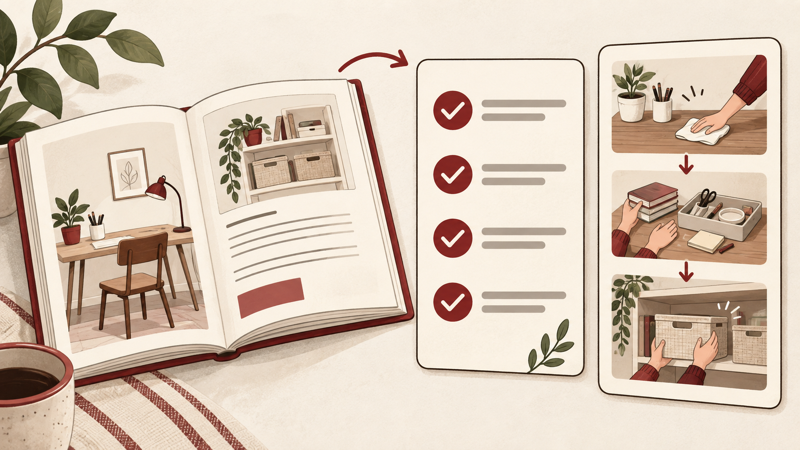
The checklist should be useful without a click. Give away the actual sequence, then invite the reader to save it for their next tidy-up. The preview should show a real part of the process and explain what the full guide adds. Hiding every useful detail behind “read more” leaves the reader with little reason to trust the destination.
Pinterest recommends relevant board placement and consistency between the Pin and its landing page. Use that as a practical design constraint: an organizing checklist belongs on a small-space organization board and should lead to organizing instructions. Pinterest’s guidance on Pin performance.
Example A: the saveable checklist
Image copy: Small-space reset
Clear one surface · Group items by use · Measure the available space · Keep everyday items within reach
Save this checklist for your next tidy-up.Title: A Small-Space Organizing Checklist You Can Actually Use
Description: Start with one surface, sort what belongs there, and measure before choosing storage. Keep this checklist for later; the full guide shows how to apply it to a desk, shelf and entryway.
Board: Small-Space Organization
Destination: Your existing guide, with the checklist near the beginning and the promised examples below it.
Use a clear photograph you own or are licensed to use. Keep the checklist readable on a phone; decorative objects should not compete with the instructions. A downloadable checklist can be useful, but only mention a download if the page actually provides it.
Example B: a preview with a reason to visit
Image copy: Where should everything go on a small desk?
Group by use → measure the space → choose a home
See the full guide for desk, shelf and entryway layouts.Title: How to Plan Storage Zones in a Small Space
Description: Before buying another box, decide which items you use every day and measure where they will live. Open the guide for the full sorting sequence and examples of arranging each zone.
Board: Small-Space Organization
Destination: The guide’s detailed process, including photos, measurements to take and examples of item placement.
Show one understandable step in the preview, such as grouping charging cables separately from stationery. The page then explains the rest. This creates a useful continuation without making the image a miniature copy of the article.
Build the Pin and connect the promise to the page
- Prepare two original vertical designs with clearly different content. Pinterest recommends a 2:3 image ratio; an example working canvas is 1000 × 1500 pixels.
- Upload your asset in the Pin creation flow, then add the matching title and description. Describe the reader’s task naturally instead of repeating a keyword list.
- Add the real published guide URL and choose a relevant board. Do not send a specific tutorial promise to a generic homepage.
- Open the destination on a phone. Confirm that the checklist and promised steps are easy to find, images are readable and the page works without a broken link.
- Save your two drafts separately. Publish them as distinct useful ideas, not repeated uploads of the same image.
For the checklist, put the sequence near the start of the page. For the preview, make the detailed process easy to reach through clear headings. If the destination cannot yet deliver the promised examples, finish that section before promoting it. The official design and linking guidance supports these practical checks.
Use the right result to choose the next change
With a business account, inspect saves and outbound clicks separately. A save records keeping a Pin to a board; an outbound click goes to its destination URL. Pin clicks are a different measure and should not simply be reported as website visits. See Pinterest’s metric definitions.
The following numbers are invented solely to explain the decision. Both Pins have 1,000 impressions over the same observation period; they are not a performance benchmark or a controlled experiment.
| Example | Saves | Outbound clicks |
|---|---|---|
| A: checklist | 60 · 6% of impressions | 8 · 0.8% |
| B: preview | 20 · 2% of impressions | 30 · 3% |
If the goal is a reference people keep, A provides the more relevant signal in this example. If the goal is visits, B merits further development. For the next checklist, try a different useful task, such as preparing a shelf. For the next preview, make the destination benefit more concrete. If visitors arrive but cannot find the promised instructions, fix the page before producing more previews.
Compare equivalent date ranges and content sources, record the change you made, and resist declaring a winner from a handful of events. Outbound clicks do not establish sales. Pinterest also notes that Pin statistics can aggregate related Pins and that real-time figures may change; treat the comparison as a planning aid, not proof that one wording caused a result.
Where a Pin Likes service fits
For a separate, explicit need to purchase Pin Likes, Fansgurus lists a service that takes a Pinterest Pin link as its order input. You can visit Fansgurus to check the current service conditions. Keep that purchase objective separate from your content test: likes are not saves, site visits or sales, and the service listing does not establish those outcomes.
Start with a page that delivers something useful. Create the two drafts, verify the destination, and let the intended reader action determine what you improve next.